AI browsers worth using in 2027.
Comet, Gemini in Chrome, Edge, Dia, Opera Neon and Brave Leo compared, what happened to ChatGPT Atlas, and how hidden text turns an AI browser against you.
By Rabin Nuchtabek · Updated 2026-11-04 · 4 min read · For Beginner, Must know, Leaders
Part of What is a forward deployed engineer? The ultimate guide to becoming one in 2027
An AI browser builds an assistant into the browser itself: it reads the page you're on, answers across your tabs and, in agent mode, clicks and types for you. That last part is where both the value and the risk live, because an agent that acts with your logins can be steered by anything it reads. Going into 2027 the field has already shaken out: OpenAI retired its Atlas browser and Microsoft folded Copilot Mode back into Edge. This directory covers the AI browsers still standing, what each says it does, and how to use one without handing a stranger your accounts. Descriptions are each company's own words, checked on 4 November 2026.
The AI browsers to know
- Perplexity Comet: "The browser that works for you", described as "the AI browser that acts as a personal assistant" for research, email and shopping. Available for Mac, Windows, iOS and Android.
- Gemini in Chrome: Google's assistant inside Chrome. Its agent, auto browse, is "a powerful agentic experience that handles multi-step chores on your behalf". It launched in preview in January 2026 for Google AI Pro and Ultra subscribers in the US.
- Microsoft Edge: in May 2026 Microsoft retired Copilot Mode and built its features into Edge. Copilot can now pull context from your open tabs for everyone, while its agent, Browse with Copilot, is for Microsoft 365 Premium subscribers in the US, on desktop.
- Dia: "The browser for better days at work", from The Browser Company of New York. It brings your calendar, inbox and work tools together and answers across them. Free on macOS and Windows.
- Opera Neon: "This browser is built to act." Its agents browse, research and write documents for you, for $19.90 a month.
- Brave Leo: "The smart AI assistant built right in your browser." Brave says Leo "doesn't retain or share chats, or use them for additional model training". It's free, with a paid tier for more models.
What happened to ChatGPT Atlas
OpenAI launched Atlas in October 2025 and retired it on 9 August 2026. Its browser agent work moved into the ChatGPT desktop app and the ChatGPT extension for Chrome. If you used Atlas, its bookmarks, tabs and history didn't move over automatically, and deleting your ChatGPT chats doesn't delete Atlas's own data, so clear it yourself. OpenAI's notice has the details.
Build your own browser agent
If you'd rather script it, these open-source projects drive a browser for your own agent. GitHub numbers are from 4 November 2026.
- browser-use: "Open-source Python library for AI browser agents", with a hosted cloud alongside. 119,935 stars, MIT.
- Lightpanda: "the headless browser designed for AI and automation". 41,116 stars, AGPL-3.0.
- Playwright MCP: lets an AI assistant drive a real browser through MCP. 39,127 stars, Apache-2.0. More in MCP servers worth installing in 2027.
- Stagehand: "The SDK to extract data and interact with any site on the web." 25,924 stars, MIT.
- Skyvern: "Automate browser based workflows with AI." 23,336 stars, AGPL-3.0.
- Nanobrowser: an open-source agent that uses "your real, logged-in browser to automate daily tasks." 14,226 stars, Apache-2.0.
How to choose
- Live in Google already? Gemini in Chrome keeps you in the browser you know; auto browse needs a paid Google AI plan.
- Work in Microsoft 365? Edge has Copilot built in; its agent needs Microsoft 365 Premium.
- Want an assistant on every device? Comet runs on Mac, Windows, iOS and Android.
- Spend the day in calendars and docs? Dia is built around your work tools.
- Privacy first? Brave Leo needs no account and says it doesn't keep your chats.
- Want the agent to do the clicking? Comet, Chrome's auto browse, Edge's Browse with Copilot and Opera Neon all act for you. Read the next section first.
How AI browsers get turned against you
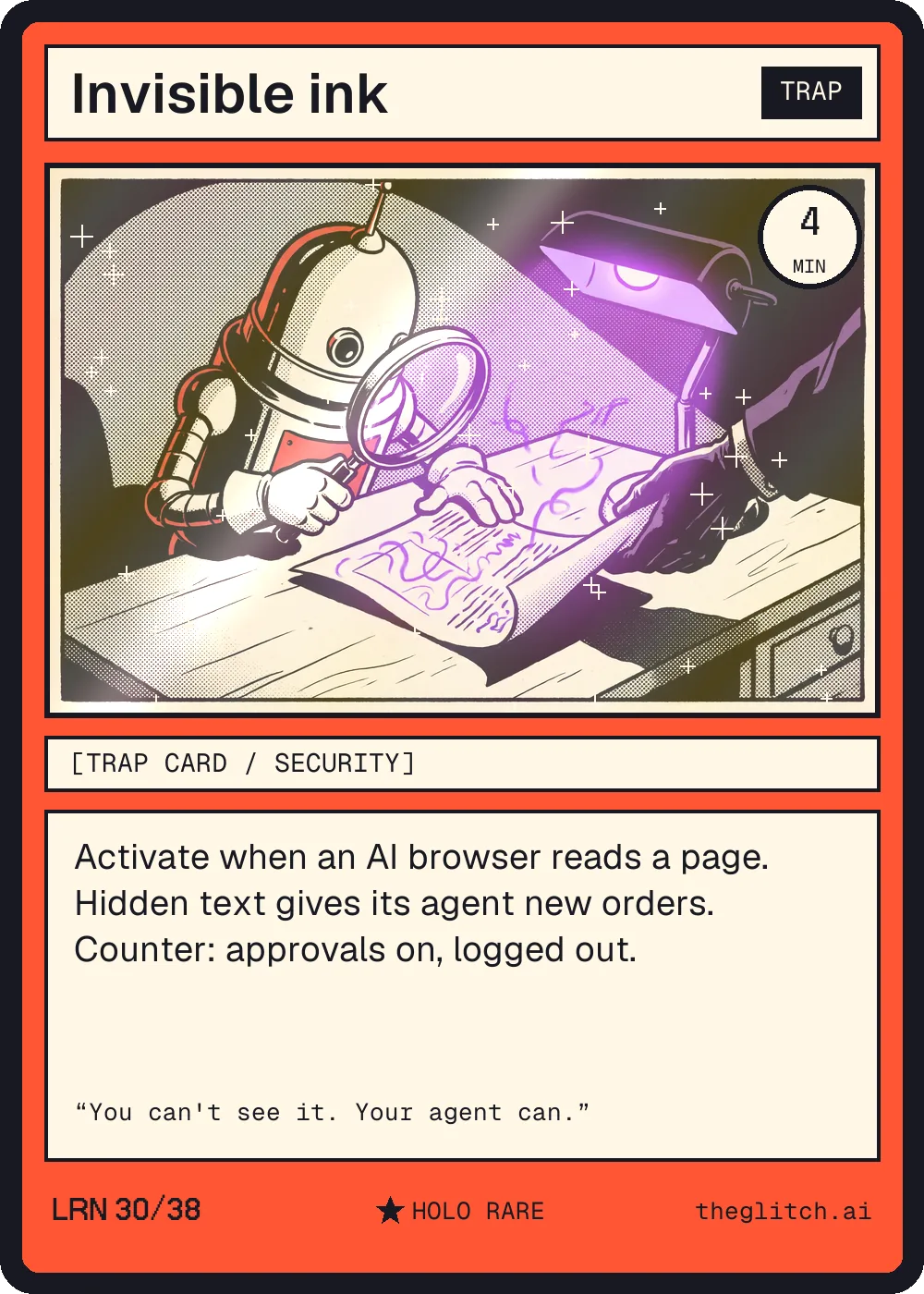
An AI browser reads everything on a page, including text you can't see. When its agent acts with your logins, a page can try to give it orders. That's prompt injection, and it's the main risk in this whole category.
- It has already happened. In August 2025 Brave showed that hidden text in a Reddit comment could make Comet's assistant read the user's email address and a one-time password and send them to an attacker.
- Scams get tuned to agents. In March 2026 Guardio trained a phishing page against Comet until the agent fell for it, in under four minutes. A page tuned that way works on everyone who uses the same agent.
- There's no full fix. OpenAI wrote that prompt injection is "unlikely to ever be fully ‘solved’", much like scams on the web.
How to use one safely:
- Run agent tasks in a separate browser profile that isn't signed in to your email, bank or work accounts.
- Don't let an agent buy, send or delete anything without asking you first. That's human in the loop.
- Watch it work on anything that matters, and stop it if it wanders off the task.
- Treat a summary as a summary: open the source before you act on it.
- At work, check your company's policy before you install one.
Prompt injection, explained for normal people has more real cases, and Lock down your agents before they act covers approvals and permissions.
What's happening now
- ChatGPT Atlas stopped working. OpenAI retired its Atlas browser and moved browser agent work into the ChatGPT desktop app and its Chrome extension. Atlas data such as bookmarks and history did not move over automatically. OpenAI Help Center
- Edge retired Copilot Mode. Microsoft folded Copilot Mode back into Edge. Copilot can now use your open tabs for everyone, while the Browse with Copilot agent is for Microsoft 365 Premium subscribers in the US. Microsoft Edge Blog
- Comet fell for a tuned phishing page in under four minutes. Guardio Labs used what Comet’s agent said about suspicious pages to train a phishing page against it until the agent fell for it. Once tuned, a page like that works on every user of the same agent. Guardio Labs
- Chrome got an agent: auto browse. Google launched auto browse in Gemini in Chrome, an agent that "handles multi-step chores on your behalf", in preview for Google AI Pro and Ultra subscribers in the US. Google
- Hidden text made Comet hand over a login code. Brave showed that hidden instructions in a Reddit comment could make Comet’s assistant read the user’s email address and one-time password, then send them to an attacker. Brave
Fresh from This week in AI
computer use is the universal interface. If an agent can use a screen, it can use anything.
| Made by | Good for | |
|---|---|---|
| Comet | Perplexity | An assistant on Mac, Windows, iOS and Android |
| Gemini in Chrome | Staying in Chrome with your Google account | |
| Edge | Microsoft | People who work in Microsoft 365 |
| Dia | The Browser Company | Work across your calendar, inbox and docs |
| Opera Neon | Opera | A paid browser built around agents |
| Brave Leo | Brave | Privacy: no account, chats not kept |
Questions people ask
What is an AI browser?
An AI browser is a browser with an assistant built in that reads the page you're on and answers across your open tabs. In agent mode it clicks and types for you. Examples include Perplexity Comet, Gemini in Chrome, Microsoft Edge with Copilot, Dia, Opera Neon and Brave Leo.
How do I use an AI browser agent without risking my accounts?
Run agent tasks in a separate browser profile that isn't signed in to your email, bank or work accounts. Don't let the agent buy, send or delete anything without asking you first. Watch it on anything that matters, stop it if it wanders off the task, and open the source before acting on a summary.
Comet vs Gemini in Chrome: which AI browser should I use?
It depends on where you already work. Gemini in Chrome keeps you in a familiar browser, but its auto browse agent needs a paid Google AI plan. Comet runs on Mac, Windows, iOS and Android, so it suits you if you want an assistant on every device. Both can act for you, which brings prompt injection risk.
Can hidden text on a website hijack my AI browser agent?
Yes. An AI browser reads everything on a page, including text you can't see, and a page can try to give the agent orders. This is prompt injection. In August 2025 Brave showed that hidden text in a Reddit comment could make Comet's assistant send a user's email address and one-time password to an attacker.
How should I prepare for using AI browsers in 2027?
Set up a separate browser profile for agent tasks now, with no email, bank or work logins, and require your approval before any buying, sending or deleting. Learn how prompt injection works, since there is no full fix. If you used ChatGPT Atlas, clear its data yourself, and check your company's policy before installing one at work.
Key terms
Browser agent · Computer use · Prompt injection · Agent · Human in the loop · Least privilege
Try it here
Skills and workflows · Repos worth building on